📆 Posted on 2021-5-10
Why use Django as backend tech? Do you really want to do this
If you watch any of my tutorials on youtube then you probably noticed I use function based views in most of my videos, there’s a specific reason for that. For the record, I’m not against class based views. I just prefer to use function based views in tutorials because they are much easier to understand and remove a certain learning curve.
Function based views are a little more explicit and easier to understand while class based views require a little more understanding of how to use these classes and built in methods.
Now with that being said, class based views are very powerful and I think every django developer should learn how to use them at some point, especially if you plan on applying for a job where Django is used. There’s a good chance any place you apply will expect you to know how to work with class based views.
In this article I want to break down what class based views are, why and how you should use them, along with some examples and comparisons to function based views.
I also want to address some common questions I get such as:
Do class based views replace function based views?
Should I use function based views and class based views together?
Should I even learn class based views? What’s the benefit?
Before we get started I want to link up some valuable resources. These links will point you to the Django documentation, the Django GitHub source code and a great website that breaks down every single built in classes based view and mixin. PLEASE use these links throughout your journey in learning about class based views, I still reference them to this day anytime I need clarification. These should be your reference anytime you need to understand why a certain view does what it does and how it’s constructed.
Django CBV Documentation
Django Views Source code
Detailed descriptions for each of Django’s class-based views.
So what are class based views?
In short, class based views are simply django views written as python classes. At the end of the day all views are just functions but by using classes we are able to extend our code by utilizing the following:
Inheritance so we can write reusable code and make our application more DRY. (Don’t Repeat Yourself)
Built in methods and views to eliminate redundancy for common use cases
separate our code by http method types such as GET and POST.
Django didn’t always have class based views
There was a point where django only had function based views. There were methods added to take care of common actions but extending functions can be very limiting so to fix this problem django added class based views.
Let’s take a look at a view that accomplishes the same tasks written as a function and then a class.
Example: Function based view
views.py
from django.shortcuts import render
from .models import Product
def productList(request):
products = Product.objects.all()
context = {'products/':products}
return render(request, 'base/product_list.html', context)
urls.py
from . import views
urlpatterns = [
path('products', views.productsList, name='products'),
]
Now as a class based view…
Ex: Class based view
views.py
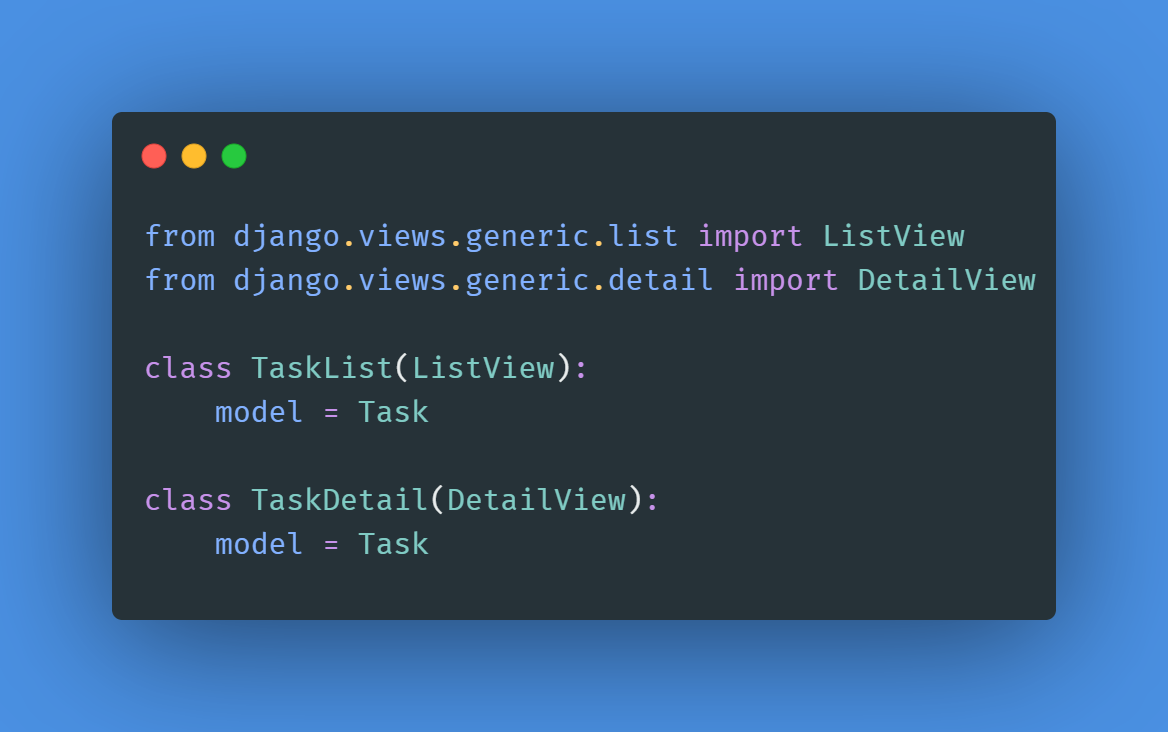
from django.views.generic.list import ListView
from .models import Product
class ProductList(ListView):
model = Product
urls.py
from . import views
urlpatterns = [
path('products', views.ProductList.as_view(), name='products'),
]
The as_view() method
Because we are using a class based view, we need to add the “as_view” method for our url resolver. This is because the django url resolver cannot process a class but instead needs a function. To resolve this, we trigger the “as view” method from our “View” class which we inherited from and the “as view” method will call the correct view function depending on the method sent, therefore giving the url resolver a function.
As you can see in this example the class based view is much simpler to write and takes care of the magic under the hood, which we cannot see at the moment. This is a very simplistic example but it already demonstrates some powers of the class based view.
In this case we inherited from a built in view called ListView which at a minimum just needed a model name or a queryset. The view already knows which template to render, and how to pass in the data into the template. With a function based view we have to take care of each step by first querying the database, passing in our context data and then rendering our template.
Understand exactly how they work before using them.
This is actually where my issue with class based views for beginners comes in. There is a lot of power in using class based views but you should try to understand exactly how they work before using them. In most cases you will need a lot more customization then what we see here and that’s where function based views thrive in the beginning. They are explicit and easy to understand, no magic underneath the hood.
Separating code by http methods
In this next example I want to demonstrate how class based views take care of http methods by passing in a post request onto the same view.
Ex: Function based view
from django.shortcuts import render
from .models import Product
def productsList(request):
products = Product.objects.all()
if request.method == 'POST':
Product.object.create()
context = {'products':products}
return render(request, 'base/product_list.html', context)
Ex: Class based view
from django.views.generic.list import ListView
from .models import Product
class ProductList(ListView):
model = Product
def post(self, request):
Product.object.create()
If you take a look at the two methods you can see that the function based view takes in every http method type, this means if we are sending “post” data then we have to check the request type ourselves to process it correctly.
With class based views we have a function for different methods. So if we send a GET request, then the “get” function gets triggered and any logic we have in there gets processed. If we send a “post” request then that request is sent to the “post” function for processing. This makes for much cleaner code by separating our request.
Class based views make our code clean and reusable
So to summarize what class based views are, they are a way to write cleaner and reusable code using python classes. We’ll get into a few more examples and also cover some of the class based views django already has built in for us but first let’s answer a few more questions.
Do class based views replace function based views?
No, class based views are simply another way of writing views, they are not meant to be a replacement. You can use them together in the same application as you see fit. In fact there are some cases where you may have most of your application written using classes but where a function based view may make more sense for a particular task.
Should I be using class based views instead of function based views?
In short the answer is that it’s 100% up to you. If you want to write the most efficient and clean code then in theory class based views is what you should be using. The only problem with that statement is that not everyone is at the same level so you can actually slow down your progress by trying to force class based views into your application, therefore writing less efficient code.
Let me give you a brief example. In 2018 I launched an application for a company I was working at and already had an active user base. At that point (about 6 months into the launch) I was using only function based views. After doing some research I decided that I wanted to step up my game and change all my views to class based views. BIG ROOKIE MISTAKE! I Spent some time studying class based views and started updating my code base. The simple views were easy to update but the ones that had more custom logic were a pain and I ended up adding more bugs to my application.
It wasn’t long before I aborted the mission and switched back to function based views after a month of unnecessary struggles. Eventually I updated some of the views to class based v